Next steps
Below you can find some of the additional options related to embedding Luzmo dashboards into your application!
Retrieving a list of dashboards
When you embed a dashboard with one of our embedding components (all components are listed in the Embedding chapter), you can make use of the getAccessibleDashboards method in your frontend to programmatically retrieve a list of dashboards. The dashboards that are returned are associated with the specific integration that the SSO key and token has access to, or its bootstrapped Suborganization or SSO user. This is particularly useful if you'd like to have a dynamic way of retrieving and providing dashboards in your frontend! Some use-cases are described in this Academy article .
The getAccessibleDashboards method returns a Promise that resolves with an array of AccessibleDashboard elements .
<body>
  <!-- ... -->
  <luzmo-embed-dashboard
    appServer="< Luzmo App server, defaults to https://app.luzmo.com >"
    apiHost="< Luzmo API server, defaults to https://api.luzmo.com >"
  ></luzmo-embed-dashboard>
  <!-- ... -->
  <script>
    // Get the component reference
    // Note: only returns the first occurrence of a Luzmo component within the document.
    const dashboardElement = document.querySelector("luzmo-embed-dashboard");

    // Set the SSO Authorization key and token pair
    dashboardElement.authKey = "< SSO Authorization Key >";
    dashboardElement.authToken = "< SSO Authorization Token >";

    // Retrieve the dashboards that are accessible to the SSO Authorization token
    dashboardElement.getAccessibleDashboards()
        .then(dashboards => {
            // Do something with the response, e.g. dynamically fill your application's navigation
            console.log(dashboards);
        });
  </script>
</body>[
{
"id": "< dashboard_1_id >",
"modifiedAt": "2021-02-10T09:13:27.114Z",
"name": "< dashboard_1_name >",
"slug": null,
"tags": [
"< dashboard_1_tag_1 >",
"< dashboard_1_tag_2 >"
],
"accessibleBy": [
{
"model": "User",
"id": "< user_A_id >",
"name": "< user_A_name >"
},
{
"model": "User",
"id": "< user_B_id >",
"name": "< user_B_name >"
},
{
"model": "Group",
"id": "< group_id >",
"name": "< group_name >"
},
{
"model": "Integration",
"id": "< integration_id >",
"name": "< integration_name >"
}
],
"accessRights": {
"flagRead": true,
"flagUse": true,
"flagModify": false,
"flagOwn": false
}
},
...
]Set an initialization filter
An initialization filter is a type of filter that initializes a filter on a certain filter object (date filter, dropdown filter, slicer filter and slider filter) in an embedded dashboard. This means that the specified filter will be applied when the dashboard loads, but it can still be turned off or modified afterwards.
To do this, extend the code snippet used in step 1 by adding a filters parameter to the request.
For an initialization filter on a filter object, it is not needed to specify the securable_id or column_id in the filters parameter. This is because a filter object can have multiple columns, coming from different datasets.
You can also set initialization filters on chart objects. This pre-selects a portion of the chart when the dashboard opens. The structure in this case is slightly different: next to a chart_id, you need a column_id and a securable_id.
const Luzmo = require('@luzmo/nodejs-sdk');
var client = new Luzmo({
  api_key: "< Your API key >",
  api_token: "< Your API token >",
  host: "< https://api.luzmo.com (default) or https://api.us.luzmo.com or your VPC-specific address >",
});

let promise = client.create("authorization", {
  type: "sso",
  expiry: "24 hours",
  inactivity_interval: "10 minutes",
  username: "< A unique and immutable identifier for your end user >",
  name: "< end-user name >",
  email: "< end-user email >",
  suborganization: "< a suborganization name >",
  integration_id: "< integration id >",
  role: "viewer",
  filters: [
    {
      clause: "where",
      origin: "initialization",
      chart_id: "< chart id of a filter object contained in the dashboard >",
      expression: "? = ?",
      value: "< value to be applied to the expression >",
    },
  ],
});

promise.then(function (result) {
  // return the result to the client
});| Property | Description |
|---|---|
|
type STRING required |
sso Use the value 'sso' for embedding a dashboard. |
|
expiry DATE (RFC 3339) OR STRING required |
Date/time when this authorization will cease working. To promote better security practices this property is required and enforced with a maximum expiry date of 1 year. It is advised to only use short-living tokens (max. 24 hours) for maximum security. |
|
inactivity_interval INTEGER OR STRING |
Duration of inactivity after which the token is prematurely invalidated. You can use this to invalidate tokens quickly when the session is ended (eg. all open dashboards are closed). If specified, a minimum value of 2 minutes is enforced to avoid undesired invalidation of a token due to e.g. missing a heartbeat signal sent by our server. Defaults to 0 (i.e. no inactivity_interval). |
|
username STRING required |
Identifies the user uniquely and immutably. This should correspond to eg. the primary key for the user on your end. If it changes, the user will not have access to their previously created content anymore. So don't use eg. an e-mail address if those can change in your platform! This will also be used to uniquely identify a Monthly Active Viewer (MAV) for your Organization. |
|
name STRING required |
The full name of the user (i.e. First name and Last name). This will be used in our UI. |
|
email STRING required |
The email address of the user. This will be used in our UI. |
|
suborganization STRING required |
Each SSO token should be in a suborganization. The suborganization determines which other users they can see & interact with. It is required to avoid accidentally forgetting to set it which would cause all users to see each other! If you want totally isolated users, set it to the unique username. |
|
integration_id UUID required |
The UUID of the integration that the SSO token should have access to. |
|
role STRING required |
The role of the user for who you are making the authorization request. More information on the different roles: "viewer" SSO users that should only be able to view and interact with one or more dashboards, variants, and duplicates. "designer" SSO users that should be able to create, edit, view and interact> with one or more dashboards, variants, and duplicates. "owner" SSO users that should be able to create, edit, view and interact with one or more dashboards, variants, and duplicates, and next to that they should be able to favorite dashboard variants for other SSO users within their suborganization. More info under Embedded Dashboard Editor. |
|
filters ARRAY[OBJECT] |
|
|
clause STRING |
Timing of application of the filter. Possible values: where (applied before aggregation/grouping, for example, only select rows with a specific price), having (applied after aggregation/grouping, for example, to select only groups in which the total price exceeds a specific value) |
|
origin STRING |
This parameter specifies the level to apply the filter. For an initialization filter, this parameter should be set to initialization. |
|
chart_id UUID |
This parameter specifies the level to apply the filter. For an initialization filter, this parameter should be set to initialization. |
|
expression STRING |
The expression to be used in your filter formula. The possible filter expressions are: ? in ?, ? not in ?, ? = ?, ? != ?, ? > ?, ? >= ?, ? < ?, ? <= ?, ? is null and ? is not null. |
|
value NUMBER, STRING, BOOLEAN, ARRAY |
Value to insert in the filter. |
|
column_id STRING |
(Only needed in case of a non-filter object) The column to apply the filter to |
|
securable_id STRING |
(Only needed in case of a non-filter object) The dataset to apply the filter to |
Set language or timezone
When you have built a multi-lingual dashboard (see this Academy article ), you can specify what language to use when embedding a dashboard in your web page using the
languageproperty.You can override the dashboard timezone that was set in the dashboard editor when embedding a dashboard in your web page (More info on timezone support can be found in this Academy article ). This can be achieved by specifying the
timezoneIdproperty in the web component. The provided timezone ID needs to be a valid ID that is available in the IANA timezone database , for example: Europe/Brussels or America/New_York .
<luzmo-embed-dashboard
  appServer="< Luzmo App server, defaults to https://app.luzmo.com >"
  apiHost="< Luzmo API server, defaults to https://api.luzmo.com >"
  authKey="< SSO authorization key >"
  authToken="< SSO authorization token >"
  dashboardId="< dashboard id you want to embed >"
  language="< Language code, e.g. 'en', 'fr', etc. >"
  timezoneId="< Timezone ID, e.g. 'Europe/Brussels', 'America/New_York', etc. >"
></luzmo-embed-dashboard>
| Property | Description |
|---|---|
|
appServer STRING |
Tenancy of Luzmo app to connect to. Defaults to 'https://app.luzmo.com/'.
For US multi-tenant application, set appServer to 'https://app.us.luzmo.com/'. For dedicated VPC environments, you should point towards your VPC-specific address. |
|
apiHost STRING |
Tenancy of Luzmo API to connect to. Defaults to 'https://app.luzmo.com/'.
For US multi-tenant application, set apiHost to 'https://app.us.luzmo.com/'. For dedicated VPC environments, you should point towards your VPC-specific address. |
|
authKey UUID |
The authorization key (i.e. "id") from the response of the authorization request in your backend. |
|
authToken STRING |
The authorization token from the response of the authorization request in your backend. |
|
dashboardId UUID |
This is the id of the dashboard that you want to embed. Specify either the dashboardId or dashboardSlug property. |
|
language STRING |
(Optional) The language code that you wish to use in the dashboard instead of the default language of the dashboard. You can specify 'en', 'cs', 'da', 'de', 'es', 'fi', 'fr', 'he', 'hu', 'it', 'ja', 'ko', 'mk', 'nl', 'pl', 'pt', 'ru', 'sv', 'zh_cn' or 'zh_tw'.
If that language code is not configured in the dashboard, the default language of that dashboard will be used.This Academy articlegoes into more detail about multi-lingual dashboards. |
|
timezoneId STRING |
(Optional)The timezone id you wish to use in your dashboard, instead of the default timezone of the dashboard (or SSO token). This timezone id needs to be a valid id that is available in the IANA timezone database, for example: Europe/Brussels or America/New_York. More info on timezone support in an (embedded) Luzmo dashboard can be found in this Academy article. |
For all possible frontend component properties, check the Embedding chapter.
Set loader style
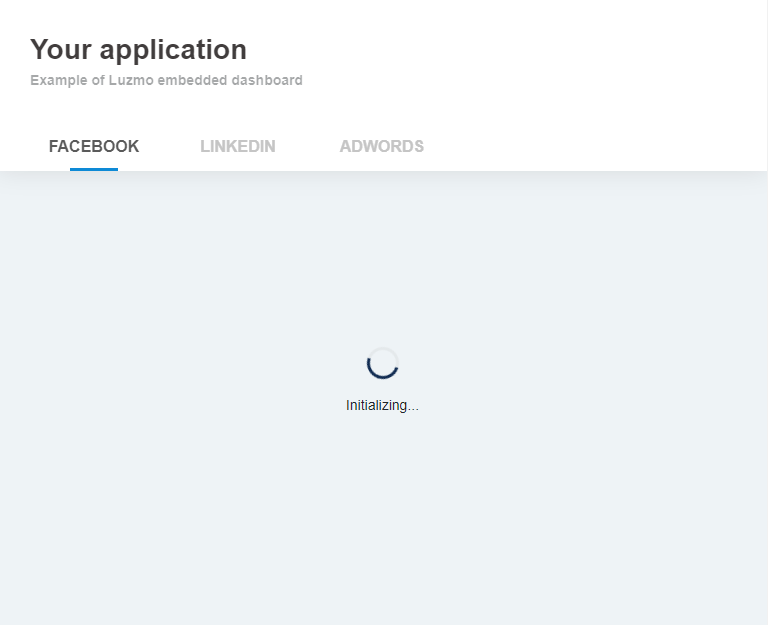
When you load a page that has an embedded dashboard or chart, a few resources will need to be retrieved, and access to the dashboard needs to be verified. During this process, a loading indicator is shown.
<luzmo-embed-dashboard
  appServer="< Luzmo App server, defaults to https://app.luzmo.com >"
  apiHost="< Luzmo API server, defaults to https://api.luzmo.com >"
  authKey="< SSO authorization key >"
  authToken="< SSO authorization token >"
  dashboardId="< dashboard id you want to embed >"
  loaderBackground="rgb(249, 249, 249)"
  loaderFontColor="rgb(0,0,0)"
  loaderSpinnerColor="rgba(255, 165, 0, 0.7)"
  loaderSpinnerBackground="rgba(169, 169, 169, 0.14)"
></luzmo-embed-dashboard>
This loader can be completely customized to match the styling of your website or platform. You can change the color of the background, the color of the font, the color of the spinner itself, and the background of the spinner.
These colors can be specified in rgb or rgba values. For example: for the color red, the rgb value is rgb(255, 0, 0) and the rgba value is rgba(255, 0, 0, 1) .
| Property | Description |
|---|---|
|
appServer STRING |
Tenancy of Luzmo app to connect to. Defaults to 'https://app.luzmo.com/'.
For US multi-tenant application, set appServer to 'https://app.us.luzmo.com/'. For dedicated VPC environments, you should point towards your VPC-specific address. |
|
apiHost STRING |
Tenancy of Luzmo API to connect to. Defaults to 'https://app.luzmo.com/'.
For US multi-tenant application, set apiHost to 'https://app.us.luzmo.com/'. For dedicated VPC environments, you should point towards your VPC-specific address. |
|
authKey UUID |
The authorization key (i.e. "id") from the response of the authorization request in your backend. |
|
authToken STRING |
The authorization token from the response of the authorization request in your backend. |
|
dashboardId UUID |
This is the id of the dashboard that you want to embed. Specify either the dashboardId or dashboardSlug property. |
|
loaderBackground STRING |
(Optional) The background color of the container while loading the dashboard.
This property should be specified as a string of rgb or rgba values, e.g. "rgb(50,50,50)", "rgba(50,50,50, 0.5)", etc.
|
|
loaderFontColor STRING |
(Optional) The font color of the message(s) while loading the dashboard.
This property should be specified as a string of rgb or rgba values, e.g. "rgb(50,50,50)", "rgba(50,50,50, 0.5)", etc.
|
|
loaderSpinnerColor STRING |
(Optional) The color of the spinner while loading the dashboard.
This property should be specified as a string of rgb or rgba values, e.g. "rgb(50,50,50)", "rgba(50,50,50, 0.5)", etc.
|
|
loaderSpinnerBackground STRING |
(Optional) The background color of the spinner while loading the dashboard.
This property should be specified as a string of rgb or rgba values, e.g. "rgb(50,50,50)", "rgba(50,50,50, 0.5)", etc.
|
Embed a single dashboard item
It is possible to embed only a certain dashboard item instead of a specific dashboard. Next to specifying a dashboardId or dashboardSlug, you can specify the id of the item within the dashboard in the itemId property of the frontend component. The embedded dashboard item will automatically resize based on the parent container's width and height!
<luzmo-embed-dashboard
  appServer="< Luzmo App server, defaults to https://app.luzmo.com >"
  apiHost="< Luzmo API server, defaults to https://api.luzmo.com >"
  authKey="< SSO authorization key >"
  authToken="< SSO authorization token >"
  dashboardId="< dashboard id you want to embed >"
  itemId="< an id of a Luzmo item within the dashboard >"
></luzmo-embed-dashboard>
| Property | Description |
|---|---|
|
appServer STRING |
Tenancy of Luzmo app to connect to. Defaults to 'https://app.luzmo.com/'.
For US multi-tenant application, set appServer to 'https://app.us.luzmo.com/'. For dedicated VPC environments, you should point towards your VPC-specific address. |
|
apiHost STRING |
Tenancy of Luzmo API to connect to. Defaults to 'https://app.luzmo.com/'.
For US multi-tenant application, set apiHost to 'https://app.us.luzmo.com/'. For dedicated VPC environments, you should point towards your VPC-specific address. |
|
authKey UUID |
The authorization key (i.e. "id") from the response of the authorization request in your backend. |
|
authToken STRING |
The authorization token from the response of the authorization request in your backend. |
|
dashboardId UUID |
This is the id of the dashboard that you want to embed. Specify either the dashboardId or dashboardSlug property. |
|
itemId UUID |
(Optional) In case you want to embed a single item of a dashboard, you should specify a dashboardId or dashboardSlug, together with this itemId property set to the id of the item that you want to embed.
The embedded dashboard item will automatically resize based on the parent container's width and height. |
For all possible parameters, check the Embed documentation .