Retrieving Luzmo resource IDs
When embedding Luzmo analytics, there are several places where you might need an ID of a specific resource (e.g. a dashboard, a dataset, a column, etc.). In this section you will learn how you can find those ID's in our user interface for various entities; via API you can also get all resources your API (or Embed) key-token pair has access to.
Retrieving a dashboard id
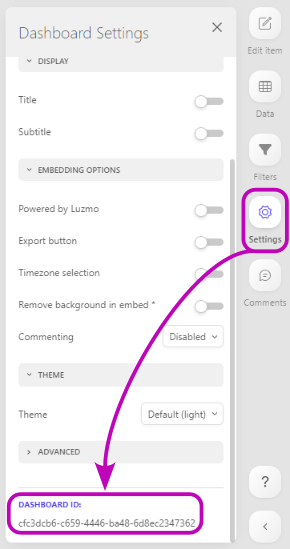
The dashboard id is a unique identifier for that dashboard.
You can retrieve the id of a dashboard in the 'settings' tab of the dashboard editor, on the right hand side of the screen. At the bottom of the tab, you will find the dashboard id. Via API you can also retrieve accessible dashboards as described here .
For Embed tokens, you can also dynamically retrieve accessible dashboards in your frontend using the getAccessibleDashboards method of the Luzmo frontend component!
Retrieving a chart ID
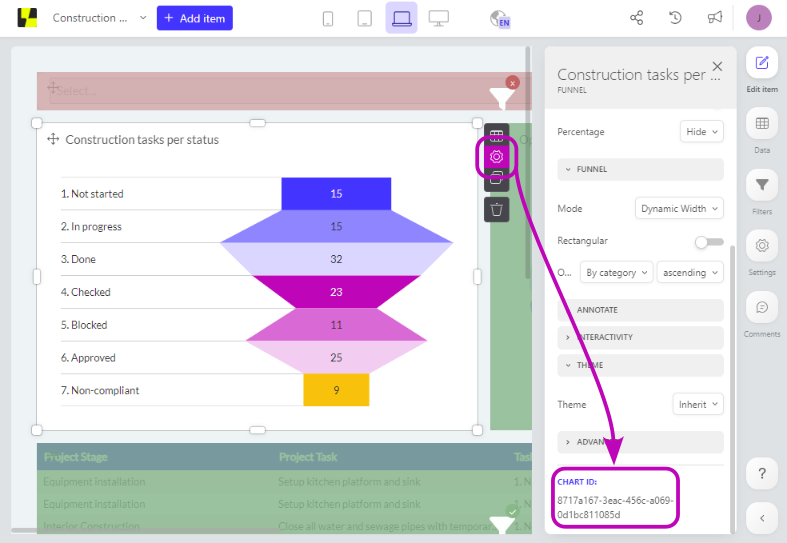
The chart id is a unique identifier for that chart.
You can retrieve the id of a chart by hovering over the chart and clicking the gear icon that appears next to it. By doing this you will enter the item settings. At the bottom of the tab, you will find the chart id.
Retrieving a dataset ID
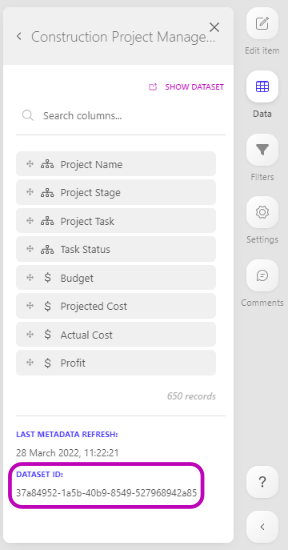
The dataset id is a unique identifier for that dataset.
You can retrieve the id of a dataset in the 'data' tab of the dashboard editor, on the right hand side of the screen. At the bottom of the tab, you will find the dataset id. Via API you can also retrieve accessible datasets as described here .
Retrieving a column ID
The column id is a unique identifier for that column.
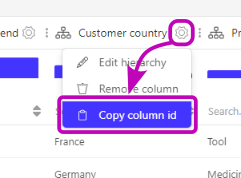
You can retrieve the id of a dataset column in the dataset preview board by clicking on the gear wheel next to the column name. Via API you can also retrieve columns from accessible datasets as described here .
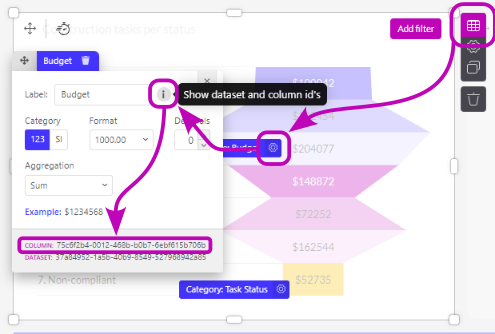
Secondly, you can also retrieve the Column ID from a widget, by hovering over the widget and clicking the table icon that appears next to it. You will now see an overview of all slots (columns) used in this chart. Click the gear icon next to the slot you want to know the id of, and then click the grey info circle. At the bottom of the modal, you can find the column ID. Additionally, you can also find the dataset ID here.
Retrieving a connection ID
The connection id is a unique identifier for that connection. A connection contains the information that is necessary to access a certain plugin or database.
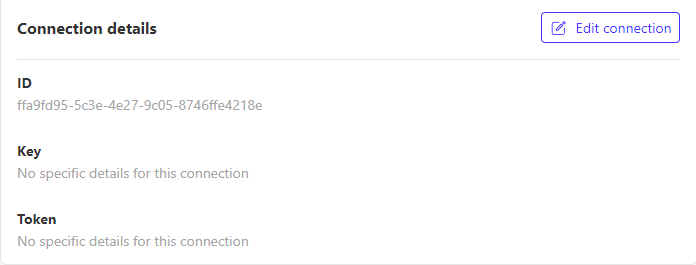
You can retrieve the id of an connection in the Connections tab of the side menu. Via API you can also retrieve accessible connections as described here .
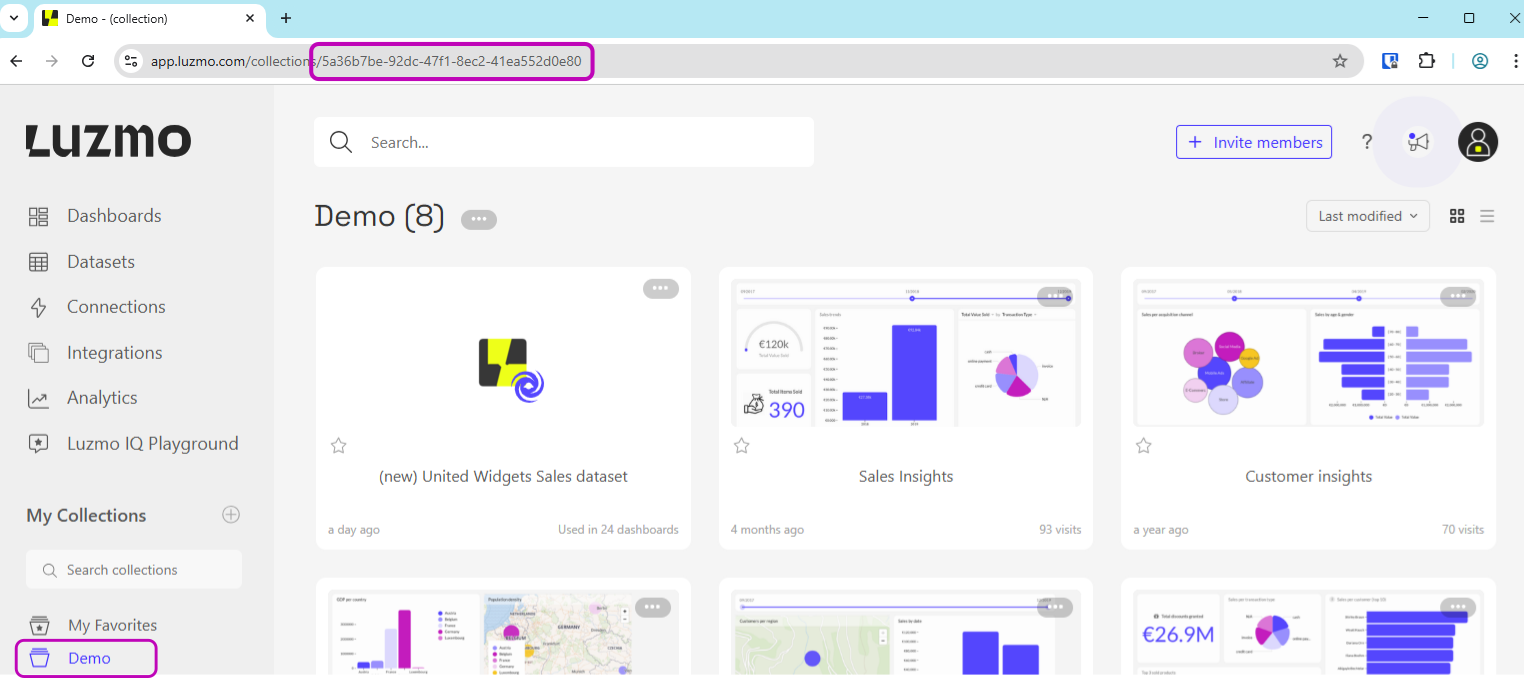
Retrieving a collection ID
The collection id is a unique identifier for the collection. You can retrieve the uuid of a collection from the URL when selecting a collection in our UI. Via API you can also retrieve accessible collections as described here .