Related topics
Retrieving a dashboard id
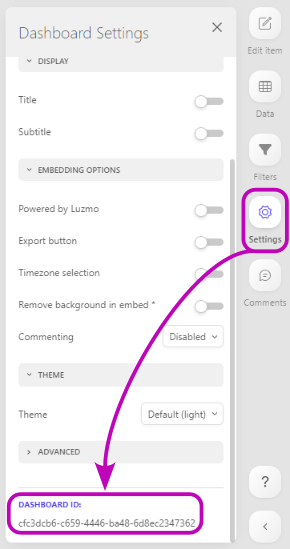
The dashboard id is a unique identifier for that dashboard.
You can retrieve the id of a dashboard in the 'settings' tab of the dashboard editor, on the right hand side of the screen. At the bottom of the tab, you will find the dashboard id.
You can also dynamically retrieve accessible dashboards in your frontend using the getAccessibleDashboards method of the Luzmo frontend component!
Retrieving a dataset id
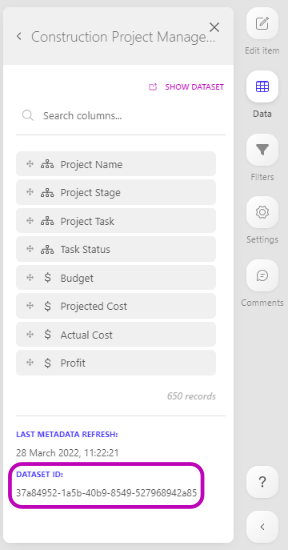
The dataset id is a unique identifier for that dataset.
You can retrieve the id of a dataset in the 'data' tab of the dashboard editor, on the right hand side of the screen. At the bottom of the tab, you will find the dataset id.
Retrieving a column id
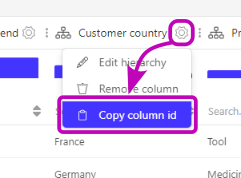
The column id is a unique identifier for that column.
You can retrieve the id of a dataset column in the dataset preview board by clicking on the gear wheel next to the column name.
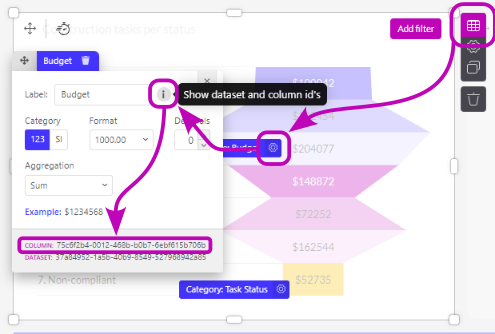
Secondly, you can also retrieve the Column ID from a widget, by hovering over the widget and clicking the table icon that appears next to it. You will now see an overview of all slots (columns) used in this chart. Click the gear icon next to the slot you want to know the id of, and then click the grey info circle. At the bottom of the modal, you can find the column ID. Additionally, you can also find the dataset ID here.
Retrieving a chart id
The chart id is a unique identifier for that chart.
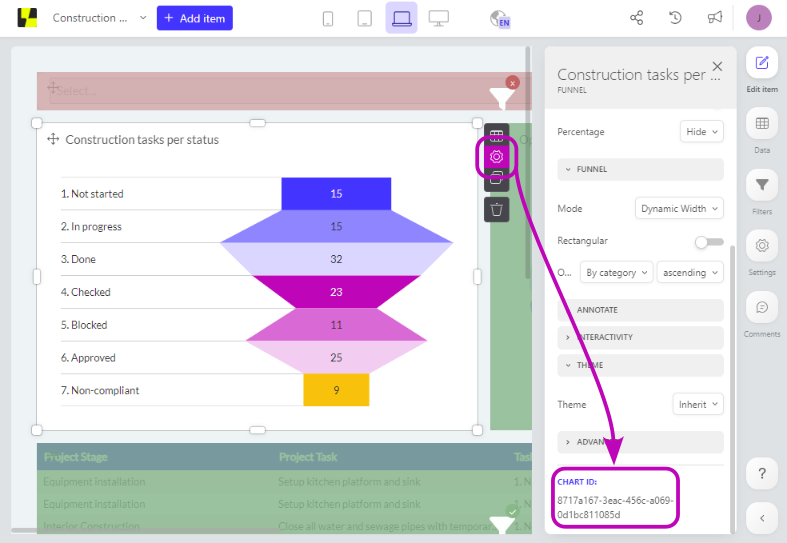
You can retrieve the id of a chart by hovering over the chart and clicking the gear icon that appears next to it. By doing this you will enter the item settings. At the bottom of the tab, you will find the chart id.
Retrieving a connection id
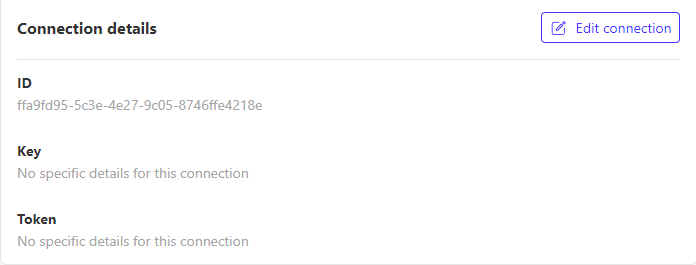
The connection id is a unique identifier for that connection. A connection contains the information that is necessary to access a certain plugin or database.
You can retrieve the id of an connection in the Connections tab of the side menu.
Retrieving an integration id
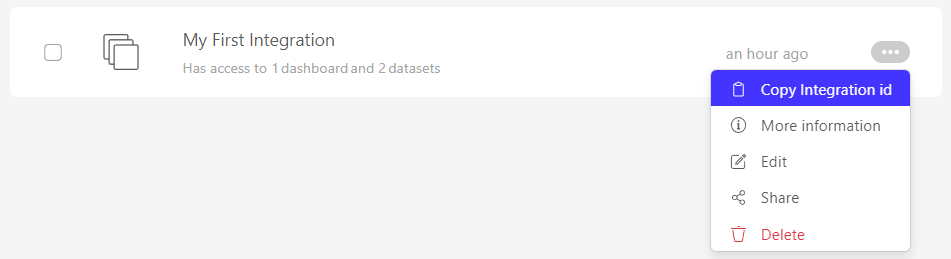
The integration id is a unique identifier for the integration. You can retrieve the uuid of an integration in the Integrations overview in our UI as shown below.
Invalidating SSO tokens
A SSO token can only be invalidated by the SSO token itself.
You can invalidate an Authorization token at any moment, before their specified expiry time.
var tempclient = new Luzmo({
    api_key: "< SSO key >",
    api_token: "< SSO token >",
    host: "< https://api.luzmo.com (default) or https://api.us.luzmo.com or your VPC-specific address >"
  });

let promise = tempClient.delete("authorization", "< SSO key >");